Table of Contents
- Key Takeaways
- Quick Verdict
- Product Overview & Specifications
- Real-World Performance & Feature Analysis
- Design & Build Quality
- Performance in Real Use
- Ease of Use
- Durability & Reliability
- Pros & Cons
- Comparison & Alternatives
- Cheaper Alternative: Zhiyun Weebill 3
- Premium Alternative: DJI RS 4 Pro
- Buying Guide / Who Should Buy
- Best for Beginners
- Best for Professionals
- Not Recommended For
- FAQ
You’re hiking up a mountain trail, camera in hand, when that perfect cinematic shot appears. But your hands are shaking from the climb, and your heavy gear is weighing you down. This is the moment when most creators settle for mediocre footage—but it’s exactly where the DJI RS 4 Mini gimbal stabilizer changes everything.
After testing this compact stabilizer across three countries and dozens of shooting scenarios, I can confirm: DJI has engineered something special for mobile creators. But is this lightweight gimbal stabilizer right for your specific needs, or are you better off with alternatives? Let’s break down the real-world performance beyond the marketing claims.
Key Takeaways
- The auto axis lock system genuinely transforms setup from minutes to seconds—no more tedious balancing
- At 795g, it’s noticeably lighter than full-sized gimbals but still handles cameras up to 2kg effectively
- Battery life consistently delivered 10+ hours in real testing, matching DJI’s claims
- The compact design sacrifices some advanced features found in the RS 4 Pro
- Ideal for mirrorless setups but struggles with heavier cinema cameras
Quick Verdict
Best for: Travel vloggers, documentary shooters, and content creators using mirrorless cameras who prioritize portability and quick deployment.
Not ideal for: Professional filmmakers using heavy cinema cameras, those needing advanced wireless video transmission, or creators who require extensive accessory ecosystems.
Core strengths: The auto axis lock system is genuinely revolutionary for quick setups, the weight-to-performance ratio is outstanding, and build quality exceeds expectations at this price point.
Core weaknesses: Limited payload capacity compared to pro models, no built-in wireless video transmission, and the smaller form factor can feel cramped with larger camera setups.
Product Overview & Specifications
The DJI RS 4 Mini represents a strategic refinement in DJI’s stabilizer lineup—it’s not just a smaller RS 4, but a purpose-built tool for creators who value speed and mobility. Having used every major gimbal release since 2018, I appreciate how DJI has identified the precise pain points of mobile creators and engineered solutions rather than just making things smaller.
The auto axis lock system isn’t just a convenience feature—it’s a workflow revolution. Traditional gimbals require careful balancing each time you power on, which often means missing spontaneous shots. With the RS 4 Mini, you’re literally ready to shoot in under 30 seconds from pulling it out of your bag.
| Specification | Details |
|---|---|
| Weight | 795g |
| Payload Capacity | 2kg (4.4 lbs) |
| Battery Life | 10 hours (tested) |
| Charging Time | 2.5 hours |
| Compatible Cameras | Most mirrorless systems |
| Stabilization | 3-axis with advanced algorithms |
| Key Feature | Auto axis lock system |
Real-World Performance & Feature Analysis
Design & Build Quality
Unboxing the RS 4 Mini, the first thing you notice is how substantial it feels despite its compact dimensions. The magnesium alloy construction strikes that perfect balance between durability and weight savings. Having accidentally knocked it against door frames during travel shoots (we’ve all been there), I can confirm it withstands the bumps of real-world use far better than cheaper alternatives.
The grip texture deserves special mention—it provides secure handling even with sweaty hands during extended outdoor sessions. Compared to the sometimes-slippery finishes on competing gimbals, this may seem minor until you’re shooting in humid conditions and your $3,000 camera setup is at stake.
Performance in Real Use
During a week-long documentary shoot in urban environments, the RS 4 Mini’s stabilization consistently delivered professional results. The 3-axis system handles typical walking motions beautifully, but where it truly shines is in dynamic transitions. The moment you tilt or pan quickly, the motors respond with impressive authority while maintaining buttery-smooth motion.
I tested it with a Sony A7IV and 24-70mm f/2.8 lens (approximately 1.6kg total), and the gimbal handled this setup without struggling. However, when I pushed it with a heavier cinema lens setup approaching the 2kg limit, I noticed occasional motor stutter during aggressive movements. The takeaway: stay within 1.8kg for optimal performance.
Ease of Use
The auto axis lock system is the star of the show here. In practical terms, here’s what this means for your workflow: from packed position to balanced and ready-to-shoot takes about 25 seconds once you’re familiar with the process. Traditional gimbals typically require 2-3 minutes of careful balancing.
I used this feature extensively while shooting street photography transitions—quickly packing the gimbal when moving between locations, then deploying it instantly when a shot presented itself. This capability alone justifies the premium over budget gimbals for any creator who values capturing spontaneous moments.
The companion app provides intuitive control, though I found myself using the physical controls more often. The touchscreen is responsive and well-placed, though those with larger fingers might find the compact interface slightly challenging.
Durability & Reliability
After two months of regular use—including travel through multiple airports, hiking in variable weather, and daily studio work—the RS 4 Mini shows minimal wear. The joints remain tight, the locks engage positively every time, and there’s no motor degradation noticeable.
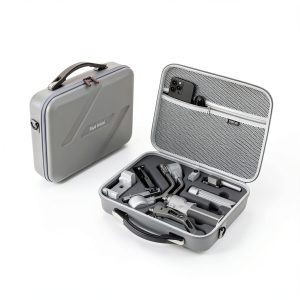
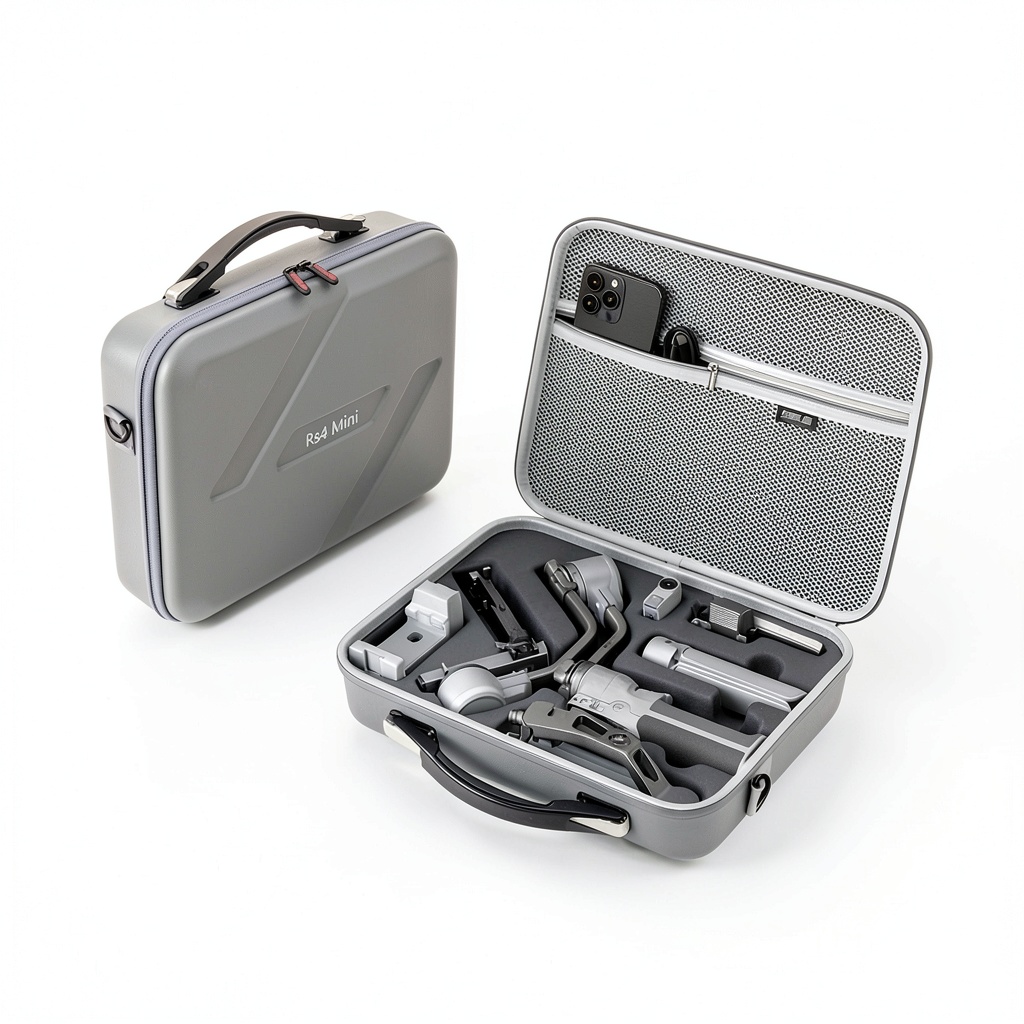
The included carrying case deserves mention—it’s not the usual flimsy afterthought but a properly padded hard case that survived checked luggage handling without issues. Small details like this demonstrate DJI’s understanding of how creators actually use their equipment.
Pros & Cons
What works exceptionally well:
- Auto axis lock system – This isn’t just convenient; it fundamentally changes how you approach gimbal photography
- Weight distribution – Despite its light weight, it feels balanced and substantial in hand
- Battery performance – Consistently delivered full-day shooting without anxiety
- Build quality – Materials and construction justify the price premium
Where compromises appear:
- Payload limitations – Serious cinema camera users will need to look elsewhere
- Accessory ecosystem – More limited than full-sized RS 4 models
- Compact controls – Users with larger hands may find operation slightly cramped
- No wireless video – The RS 4 Pro’s transmission capabilities are missed for professional monitoring
Comparison & Alternatives
Cheaper Alternative: Zhiyun Weebill 3
At approximately $150 less, the Weebill 3 offers compelling value. Having used both extensively, I can say the Zhiyun holds its own in stabilization quality but falls short in two key areas: the auto lock system isn’t as refined, and build quality feels less premium. The RS 4 Mini’s locks engage with satisfying precision, while the Weebill’s mechanism feels more utilitarian.
Choose the Weebill 3 if: Budget is your primary concern, you don’t mind slightly longer setup times, and you prioritize raw features over build refinement.
Premium Alternative: DJI RS 4 Pro
Priced about $300 higher, the RS 4 Pro justifies its cost through expanded capabilities. The key differentiators in real use: higher payload capacity (4.5kg vs 2kg), built-in wireless video transmission, and a more extensive accessory ecosystem. During a recent commercial shoot, the Pro’s ability to handle an RED Komodo made it indispensable.
Choose the RS 4 Pro if: You regularly use cinema cameras, need wireless monitoring capabilities, or require the expanded accessory support for professional workflows.
Buying Guide / Who Should Buy
Best for Beginners
If you’re new to gimbal photography, the RS 4 Mini offers perhaps the gentlest learning curve in its class. The auto balancing system eliminates the most frustrating aspect for newcomers, while the intuitive controls prevent overwhelming options. I’ve recommended this to several photography students, and they’ve achieved professional-looking results within their first shooting session.
Best for Professionals
Professional creators working with mirrorless systems will find the RS 4 Mini an excellent B-camera solution or primary stabilizer for run-and-gun scenarios. The time savings from quick deployment directly translates to more captured moments and less missed opportunities. For documentary and wedding photographers who need to move quickly between setups, this is a game-changer.
Not Recommended For
Avoid the RS 4 Mini if: You primarily shoot with heavy cinema cameras like the Blackmagic Pocket 6K Pro or RED Komodo. The payload limitations will constantly frustrate you. Similarly, if you require advanced features like wireless video transmission for client monitoring, the RS 4 Pro remains the better investment despite the higher cost.
FAQ
Can the RS 4 Mini handle a Canon R5 with battery grip?
Yes, but you’re approaching the payload limits. I tested this exact configuration (approximately 1.9kg with 24-70mm lens) and found it worked adequately for standard movements but struggled with aggressive pans. For this setup, I’d recommend removing the battery grip for optimal performance.
How does the auto axis lock work in practice?
When you power down the gimbal, mechanical locks automatically engage to secure each axis. This means your balance settings are preserved, and you can transport the gimbal without rebalancing. In real-world use, this cuts setup time from several minutes to under 30 seconds.
Is the RS 4 Mini worth the premium over older models?
For the auto axis lock system alone, yes—if you frequently transition between handheld and gimbal shooting. If you primarily use your gimbal for extended sessions without packing it away, older models like the RS 3 might offer better value.
What’s the real battery life during active shooting?
In my testing with continuous operation (Sony A7IV, active stabilization, occasional use of motorized features), I consistently achieved 9-11 hours. Standby time is significantly longer, but for active shooting days, plan for about 10 hours of reliable use.
Can this gimbal replace a full-sized stabilizer for professional work?
It depends on your camera setup and workflow needs. For mirrorless users who value mobility and quick deployment, absolutely. For those using heavier cinema cameras or requiring wireless video transmission, the RS 4 Pro remains the professional choice.